Live from your Claude Code login

Your agent usage, honestly in the menu bar.

A lightweight macOS widget that shows the real Claude Code session & weekly limits your /usage reports — plus GLM Coding Plan quota, token spend, cost and per-session history. Reads your local logs; no dashboards, no guessing.
Download for macOS Star on GitHub macOS 11+ · Apple Silicon & Intel
Matches /usage exactly Keys encrypted on-device Refreshes only when open Native menubar widget
Everything in one dropdown

Built for people who live in the terminal.

Claude Code and GLM both meter you differently and bury it behind a slash command or a browser tab. This pulls it all into one glance from the menu bar.

Real Claude limits

Session (5-hour) and weekly utilization pulled live from your Claude Code login — the exact percentages and reset times /usage shows, not an estimate.

GLM Coding Plan quota

Real 5-hour & weekly token quota from z.ai's monitor API, in the same view. Add your coding-plan key and it lights up next to Claude.

Spend & history

A 7-day token chart, per-model breakdown (Opus / Sonnet / Haiku), recent sessions and estimated cost — straight from your local ~/.claude logs.

Encrypted, on-device

API keys are sealed with AES-256-GCM and bound to your machine — never written in plaintext, never sent anywhere but the vendor.

Quiet by default

Refreshes the instant you open it and on a gentle interval while open — then goes silent when collapsed. No background polling, no battery drain.

Tiny & native

A ~6 MB Tauri app with a Rust core. Menubar template icon, launch-at-login, and signed auto-updates. No Electron, no bloat.

Four tabs, zero clutter

See exactly where you stand.

Overview tab
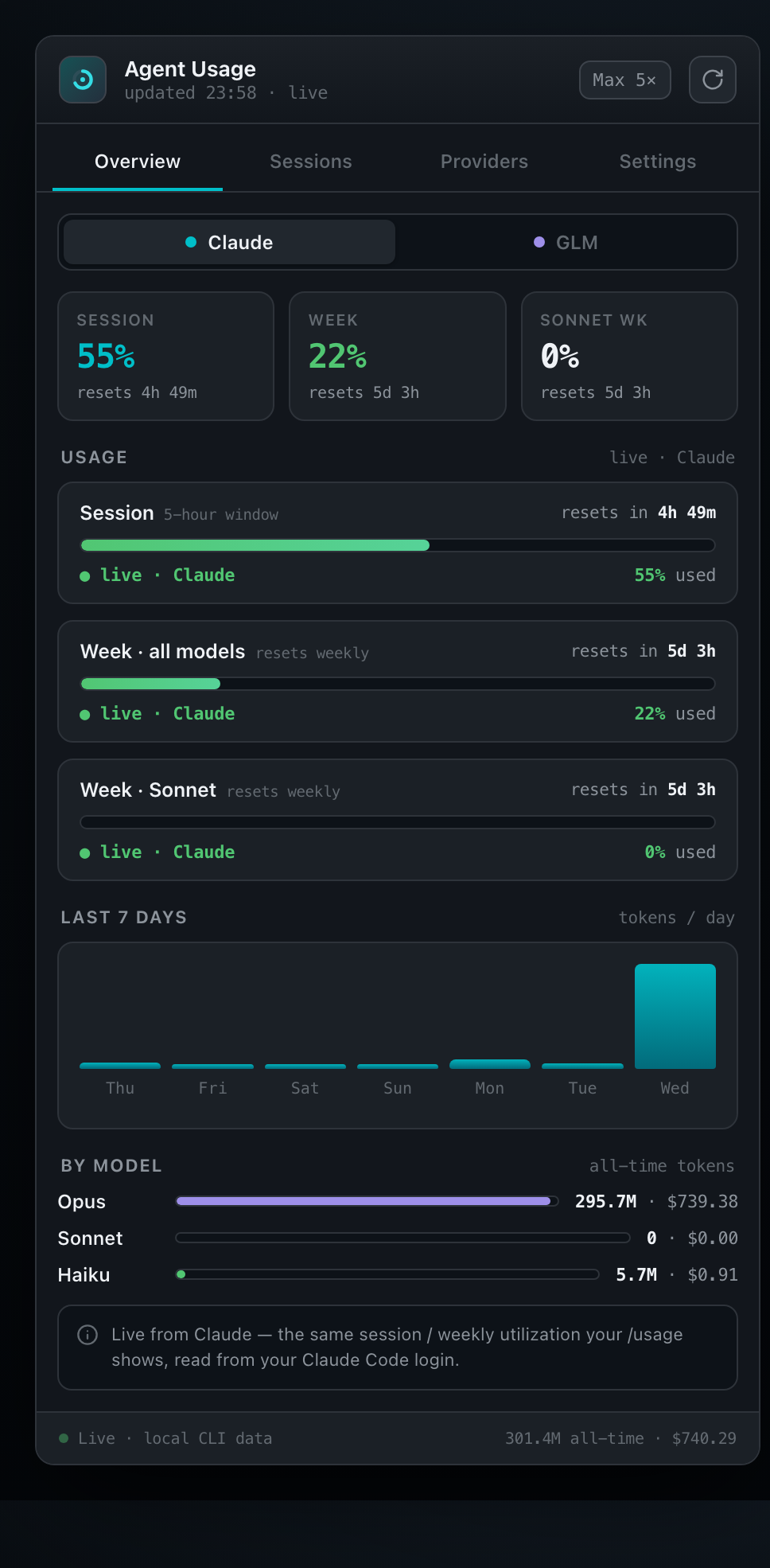
OverviewClaude · GLM toggle

Live session / weekly / per-model meters with reset countdowns and the 7-day spend chart.

Providers tab
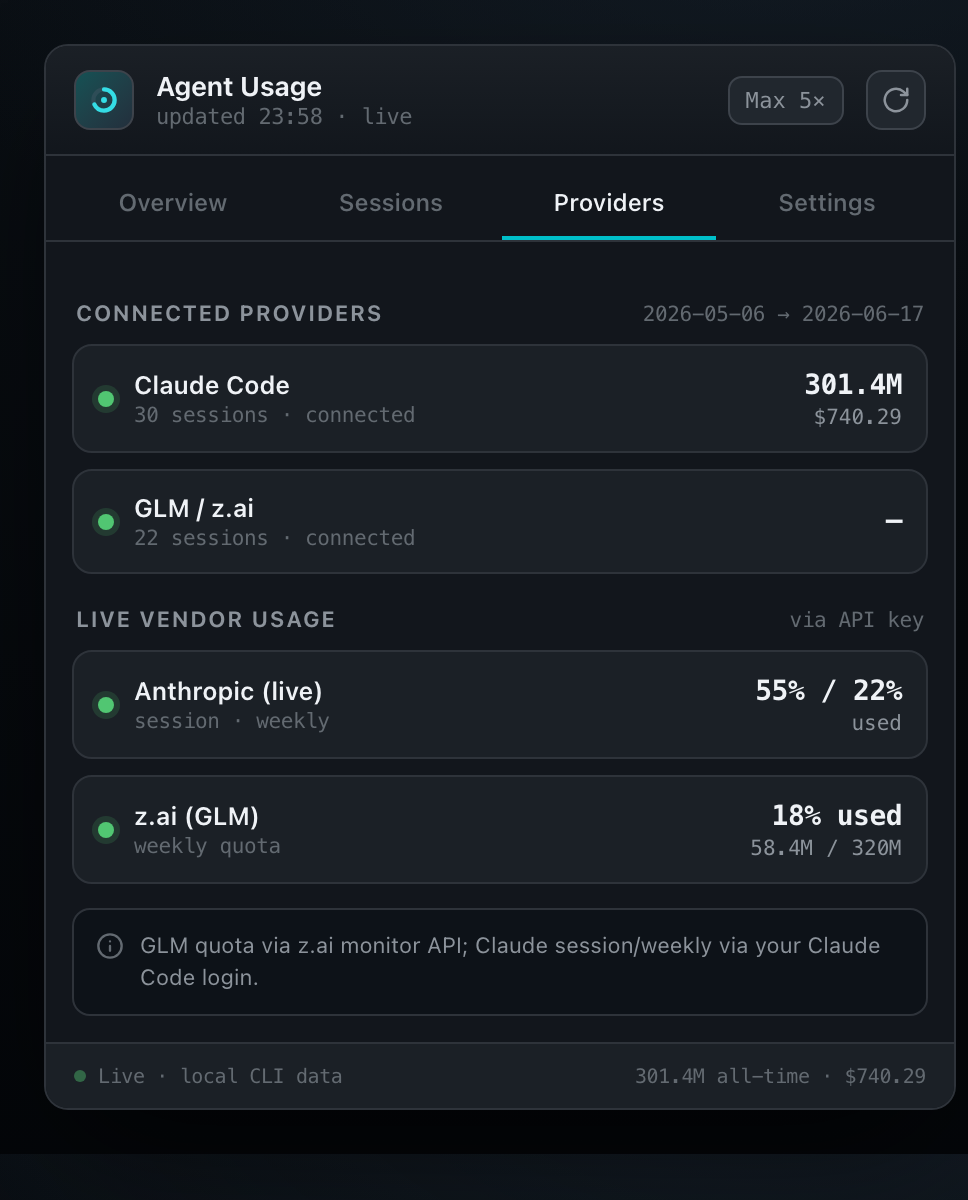
Providersconnection status

Claude and z.ai side by side, with live vendor numbers when a key is set.

Sessions tab
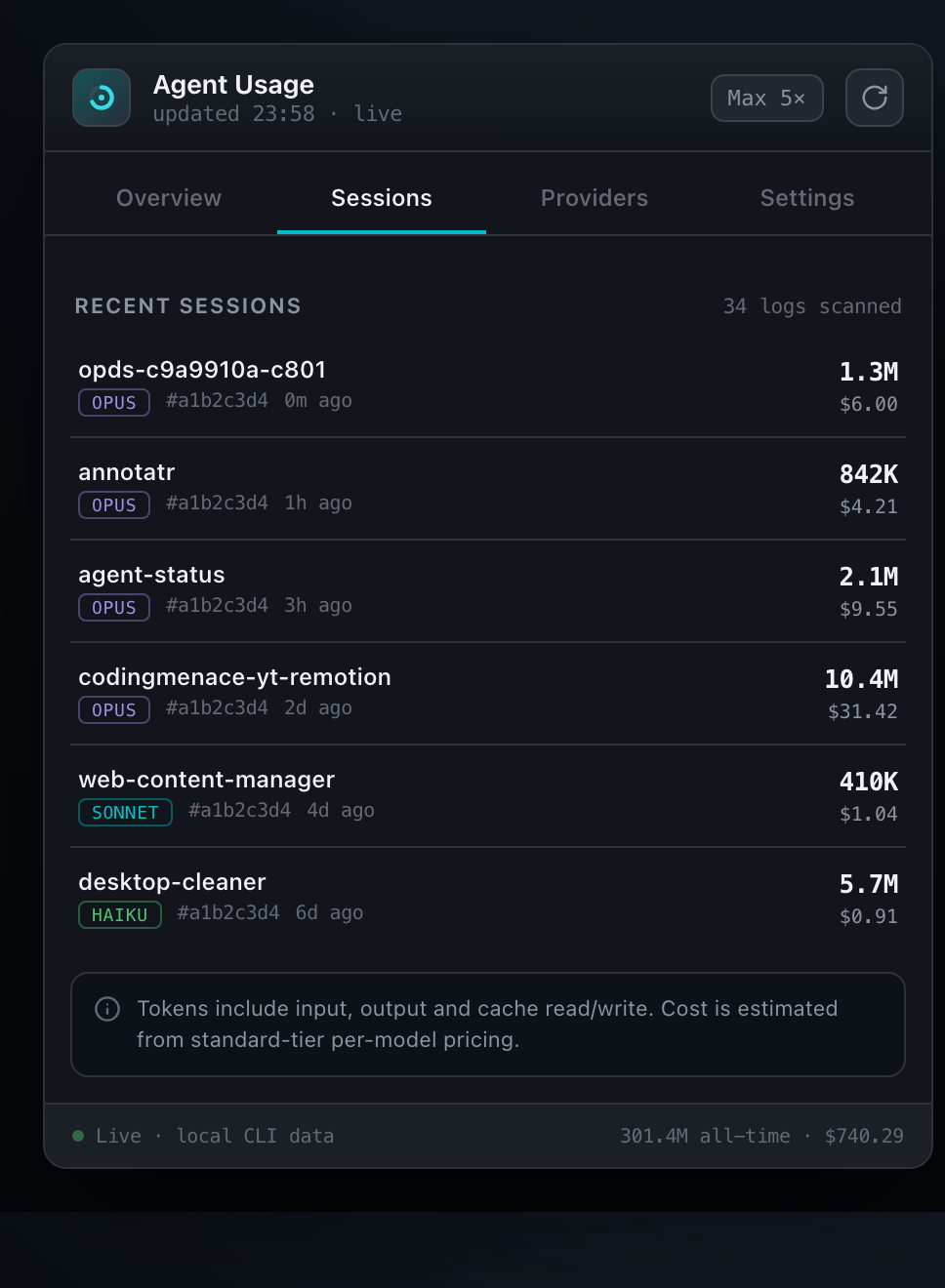
Sessionsrecent activity

Every recent session with project, model, tokens and estimated cost.

Settings tab
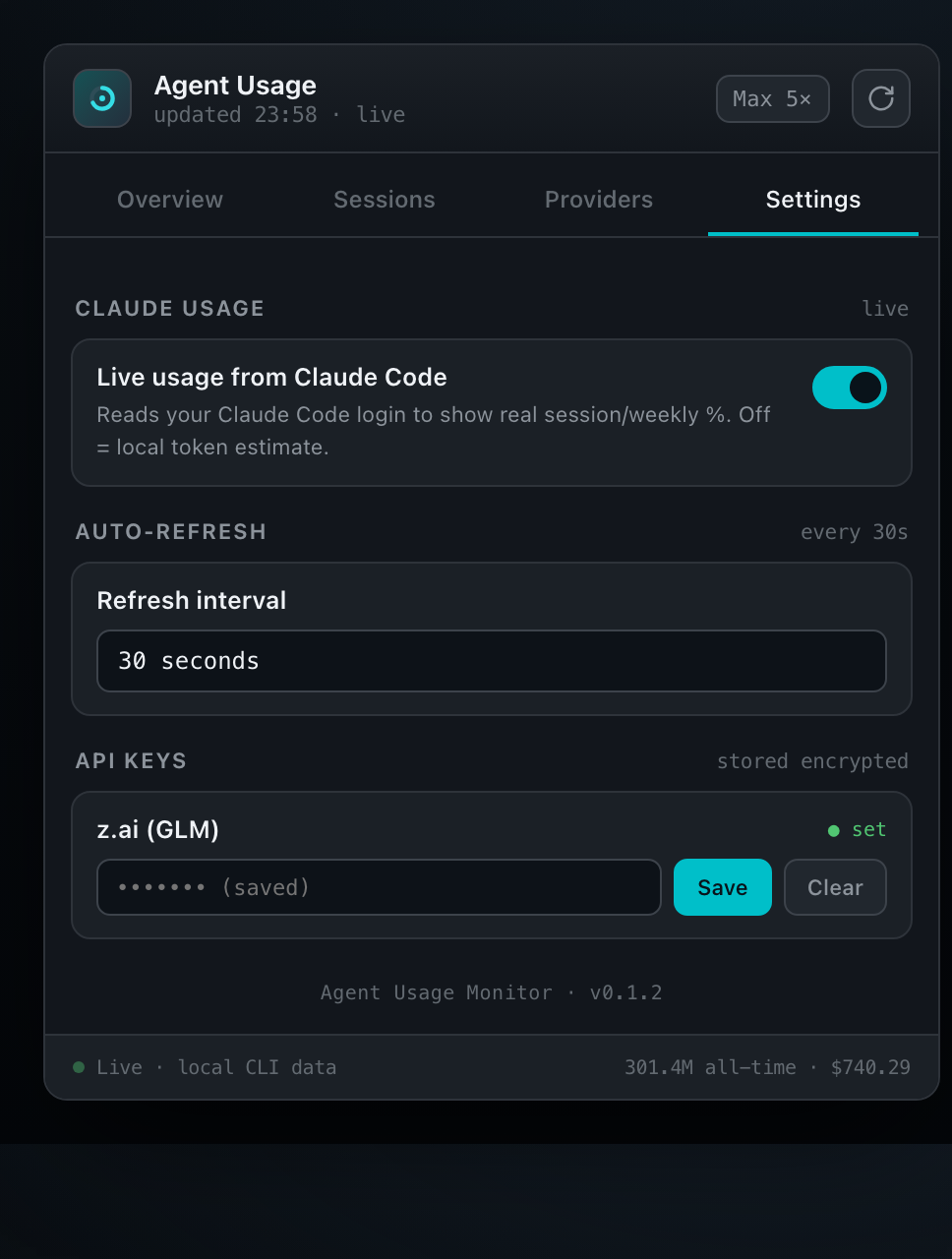
Settingskeys & refresh

Toggle live Claude usage, set the refresh interval, and store provider keys encrypted.

How it works

Local-first, with real vendor numbers when you want them.

Scans your logs

A Rust core reads ~/.claude/projects/*.jsonl and z.ai logs locally — exact token counts, per session and per model. Nothing leaves your machine.

Pulls live limits

With your existing Claude Code login it reads the same usage endpoint the status bar uses, so the % and reset times match your plan precisely.

Sits in your menu bar

Click the icon for a fresh read; it refreshes while open and rests when closed. Launches at login and updates itself.

REAL
  • Claude session & weekly % (from your login)
  • Exact token counts per session & model
  • GLM 5-hour & weekly quota (with a key)
  • Reset countdowns
ESTIMATED
  • Dollar cost (from standard-tier pricing)
  • GLM token/cost without a key (local logs are lifecycle-only)

Honest by design: the app never invents a number. Where a real value isn't available, it says so.

About

Made by someone who kept running out of quota.

DR

Dennis Rongo

Lean Code Automation LLC · builds developer tools

Agent Usage Monitor started as a personal itch: tracking Claude Code and GLM usage meant a slash command here, a browser tab there, and a lot of guessing. So it became one honest dropdown in the menu bar — real numbers, local-first, nothing invented.

Built in the open with Tauri + Rust. Issues, ideas, and pull requests welcome.

Get it

Two minutes to a quieter menu bar.

Grab the signed DMG from Releases, or build it yourself. It updates automatically after that.

$ git clone https://github.com/dennisrongo/agent-status && cd agent-status && npm i && npm run tauri build